

Remotely, worldwide, secured from day one. No technical knowledge required — we handle the install, hardening, integrations, and ongoing care.
"Genuinely the most incredible sci-fi takeoff-adjacent thing I have seen recently."
— Andrej Karpathy, former Director of AI at TeslaCONNECTS TO

設定自動化流程喺你瞓覺嘅時候照常運作。數據監控、報告、管理、執行,你嘅 AI 代理永遠都唔會收工。

一起身就有美股期油黃金外滙走勢,有埋隔夜頭條同投資建議,唔怕睇漏眼錯失良機。

WhatsApp 就得,唔洗開 app。指令、匯報同風險狀況均可實時掌握。

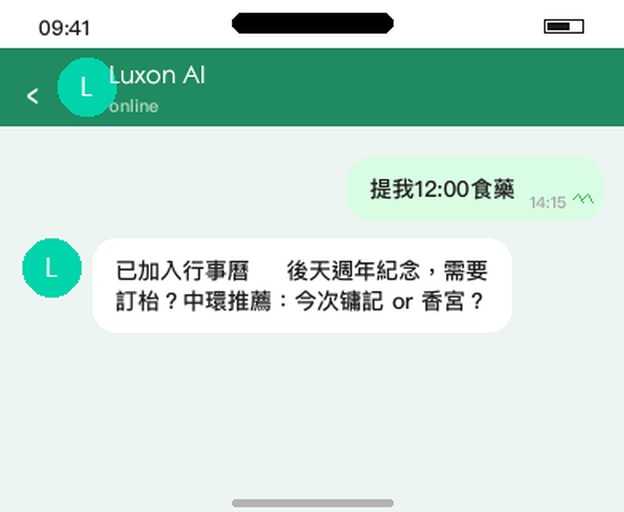
記日程方便過秘書,講俾佢聽佢就記得,自動加埋落 calendar。

幫我睇重要 email,清 inbox,訂機票酒店,繁瑣事交俾 AI。
Unlike ChatGPT or Claude Desktop, your OpenClaw agent runs 24/7 on dedicated infrastructure. It wakes up every 30 minutes, checks your email, calendar, and connected tools — and takes action without you asking.
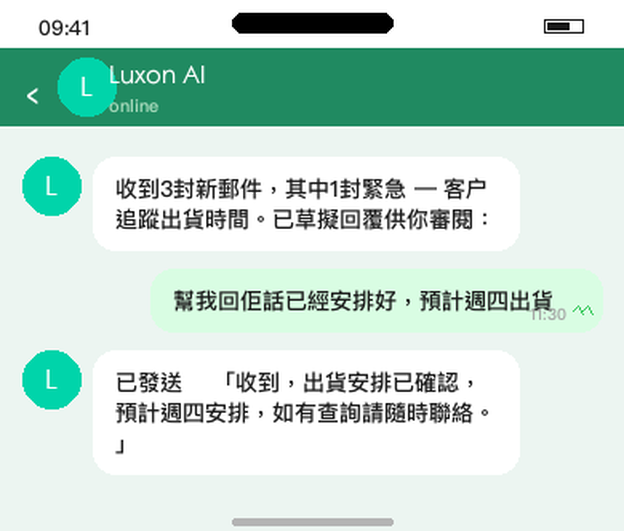
Scans your inbox, flags urgent emails, drafts replies for your review
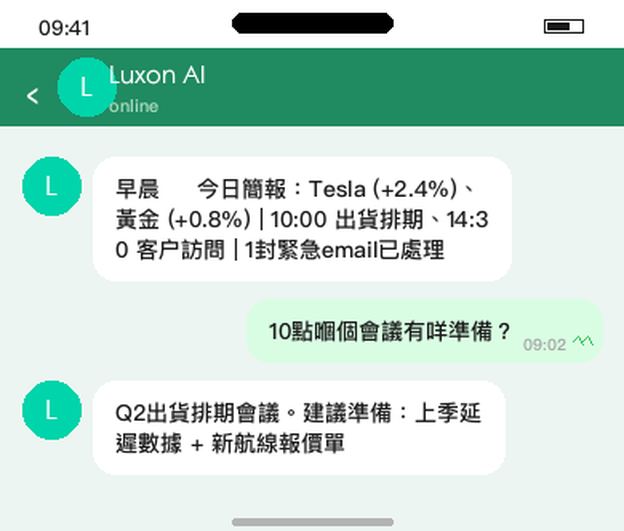
Sends you a briefing: today's meetings, attendee backgrounds, prep notes
"I'm running 10 min late" → bot emails your next meeting and reschedules
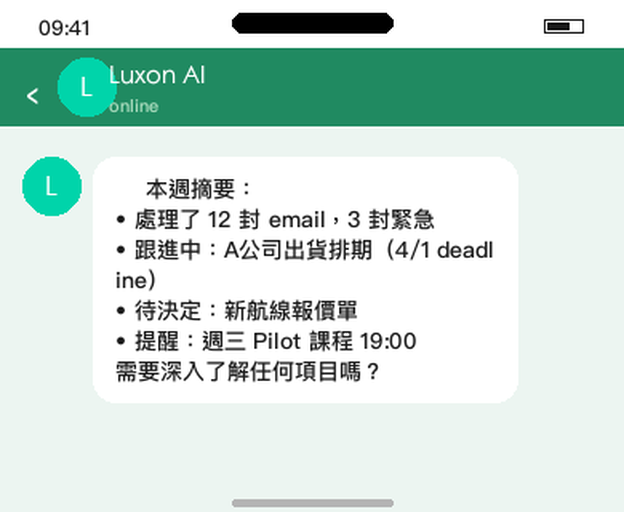
Monitors Slack channels, summarizes threads, surfaces what matters
You talk to your bot through Telegram (or Slack, WhatsApp, Discord) — just like texting an assistant. No technical knowledge required.

圍繞網路安全而設計的 AI 系統:使用智能框架,對 13 個 AI 資料庫模擬了 30 種攻擊威脅,並進行超過 60 次對抗性測試 —— 全部通過。全面保障你的私隱及網路安全。
你的資料完全獨立及被隔離,我們不會售賣你的資料,或用作訓練 AI 模型。
1 Executive Agent = 1 OpenClaw instance configured for one primary identity (CEO inbox/calendar, CFO inbox, Head of Sales, shared EA inbox). This keeps pricing fair and security boundaries clean. Most 4–50 employee teams deploy 2–6 agents: a CEO bot managing email and calendar, a Sales bot handling CRM and outreach, a Finance bot tracking invoices — all coordinating through shared context.
We discuss your goals, map your integrations (email, calendar, CRM, messaging), and plan your agent's workflows. You tell us what to automate — we handle the rest.
We set up your VPS or Mac Mini, install OpenClaw, configure Composio for secure OAuth, connect your tools, set up Docker sandboxing, firewall rules, and cron jobs. You go live same day.
We tune workflows, expand permissions as you build trust, fix edge cases, and make sure everything runs smoothly. Dedicated Slack channel for direct support.
"Every company today needs to have an OpenClaw strategy."
— Jensen Huang, NVIDIA"It feels like hiring an employee rather than opening another chat window."
— MacStories"You're solving a problem that people like me probably wouldn't take the time to solve ourselves."
— Andrew Blanchard, CEO"I could have set it up myself, but every self-install I've seen has security gaps. The hardening alone was worth it."
— SetupClaw customer, early-stage VC fundOpenClaw is open-source — you could set it up yourself. But most teams need custom integrations beyond the defaults, and even experienced engineers spend several hours getting everything wired up. Then there's the ongoing maintenance: updates, drift, broken workflows, security patches. We handle all of it — deployed securely from day one, following the official hardening guide, so your team gets leverage instead of another project to maintain. It's the Collison Install — we show up and do it for you.
One-time setup fee. Most customers deploy on a cloud VPS ($5–10/mo) — we handle setup remotely. Mac mini available for teams that need iMessage or prefer local hardware (~$600 at cost).
Implementation includes 14-day hypercare. Ongoing support requires Managed Care.
We reach out to schedule your kickoff call and create a dedicated Slack channel
20–45 min requirements session: your integrations, workflows, and preferences
1–3 hr live build: you go live same day with a working bot on Telegram
An open-source AI assistant that runs 24/7 on dedicated infrastructure. It can triage email, schedule meetings, draft replies, monitor Slack, and automate workflows across your tools — proactively, without you asking. Think of it as a digital employee that never sleeps.
Not at all. We handle everything — you don't touch a terminal or write any code. Many of our customers are non-technical founders and executives. After setup, you talk to your bot through Telegram (or Slack/WhatsApp) just like texting an assistant.
No. Most customers are remote — we set everything up over a video call regardless of where you are. We have customers across Asia Pacific and beyond. In-person setup is available in Hong Kong.
You can — it's open source. But every self-install we've seen has security gaps: exposed credentials, no audit trail, no sandbox. The installation is straightforward; the hardening is where most teams need help. If you've already set it up, we'll audit your security and fix what's missing.
VPS or Mac Mini provisioning, security hardening (Docker sandbox, firewall, exec allowlists), Composio OAuth middleware setup, email and calendar integration, up to 3 workflows, documentation, and 14-day hypercare. You go live same day with a working bot you can message on Telegram.
It's an AI with access to your email and calendar — so security is critical. We use Composio so the bot never sees your raw credentials, start with read-only permissions, configure Docker sandboxing, and give you an instant kill switch to revoke any integration. We configure it to pass your security review.
We start with minimal permissions — read-only email, no send capability initially. The sandbox prevents arbitrary code execution. Composio gives you a kill switch: revoke any integration instantly from their dashboard. We expand access gradually as you build trust.
Most customers use a cloud VPS ($5–10/mo) — more secure, easier to maintain, and we handle it remotely. Mac Mini is for teams that need iMessage integration or prefer owning the hardware (~$600 at cost).
Yes — this is the common case for 4–50 employee teams. We'll help decide which roles need their own agent vs shared workflows. Example: a CEO bot for email/calendar, a Sales bot for CRM and outreach, and a Finance bot for invoices and reporting.
Most customers deploy remotely and are up and running same day.
Book a Free 10-min Call